Review interest and hire
You can review everyone who expressed interest in a crew posting, keep track of who you've contacted, and hire the person you want. Hiring adds them to your address book and to the project's crew roster in one step.
Review expressions of interest
- In a project, click Crew in the sidebar, then click a posting.
The Expressions of interest list shows each applicant, their note, any showreel they shared, and a status.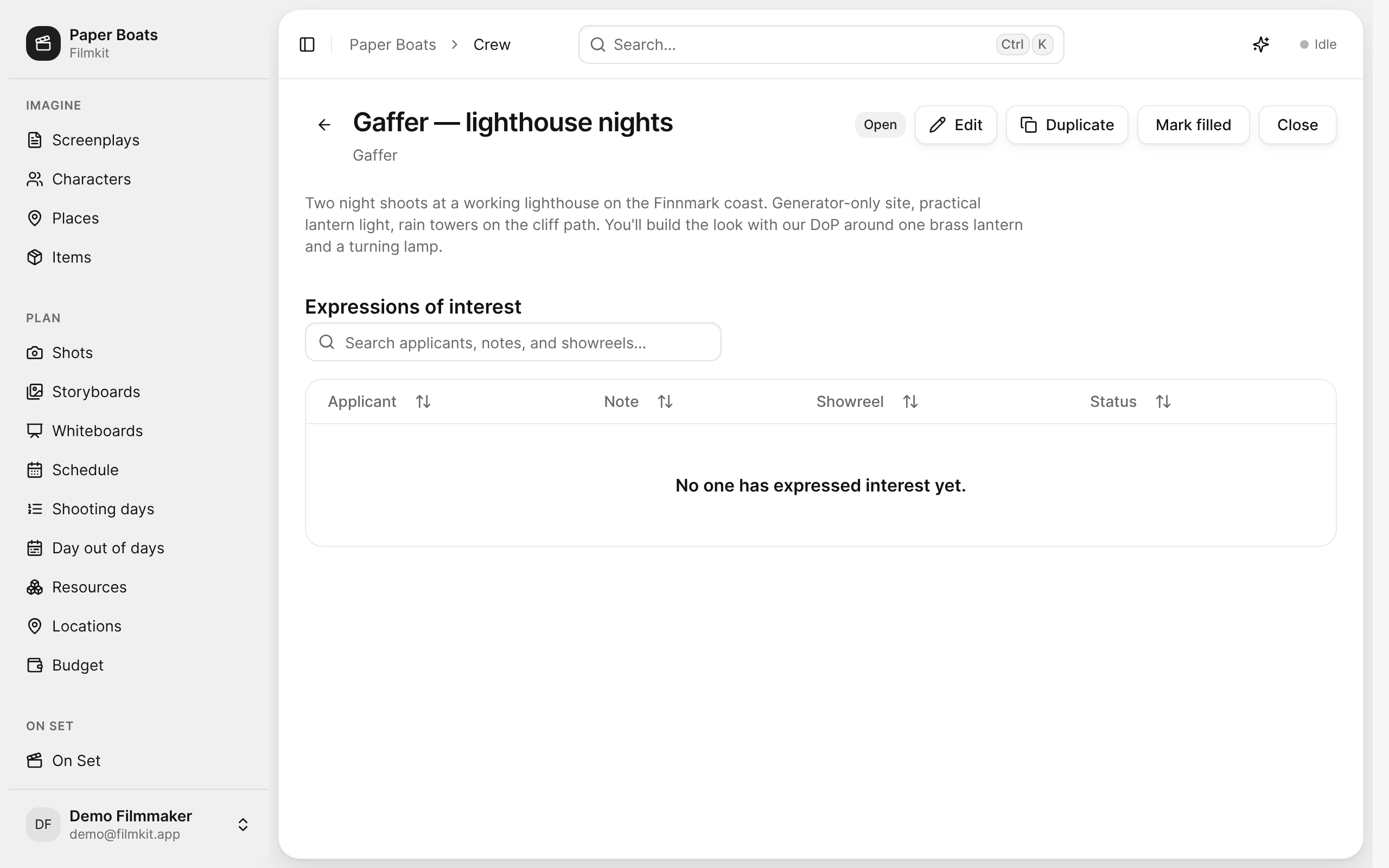
A crew posting with its actions and the Expressions of interest list. - Do any of the following:
- See an applicant's profile: Click the applicant's name.
- Watch a showreel: Click the showreel in the Showreel column.
- Find an applicant: Enter a name, part of a note, or a showreel title in the search field.

Change an applicant's status
In the applicant's row, choose a status from the menu:
- New: The applicant hasn't been reviewed yet.
- Reviewed: You've looked at the applicant.
- Contacted: You've been in touch with the applicant.
- Declined: The applicant isn't considered for this posting. You confirm by clicking Decline interest.
- Hired: Opens the hire dialog. See Hire a crew member.
If an applicant withdraws their interest, their status shows Withdrawn.
Hire a crew member
- In the applicant's row, click Hire.
- In the Hire crew member dialog, check the Name, Email, and Phone.
- Click Hire.
FilmKit creates a contact in your address book, adds them to the project's Contacts roster with the type Crew and the posting's role and department, and marks the interest Hired. See Add contacts to a project.