Create and publish a casting call
You can open a casting call for any character in your project, then publish it so actors can find it and apply. When the role is cast, you close the call or mark it filled.
To create a casting call, the project needs at least one character. See Build characters and the character bible.
Create a casting call
- In a project, click Casting in the sidebar.
- Click .
- In the New casting call dialog, choose a Character.
- In Synopsis, describe the role and what you're looking for.
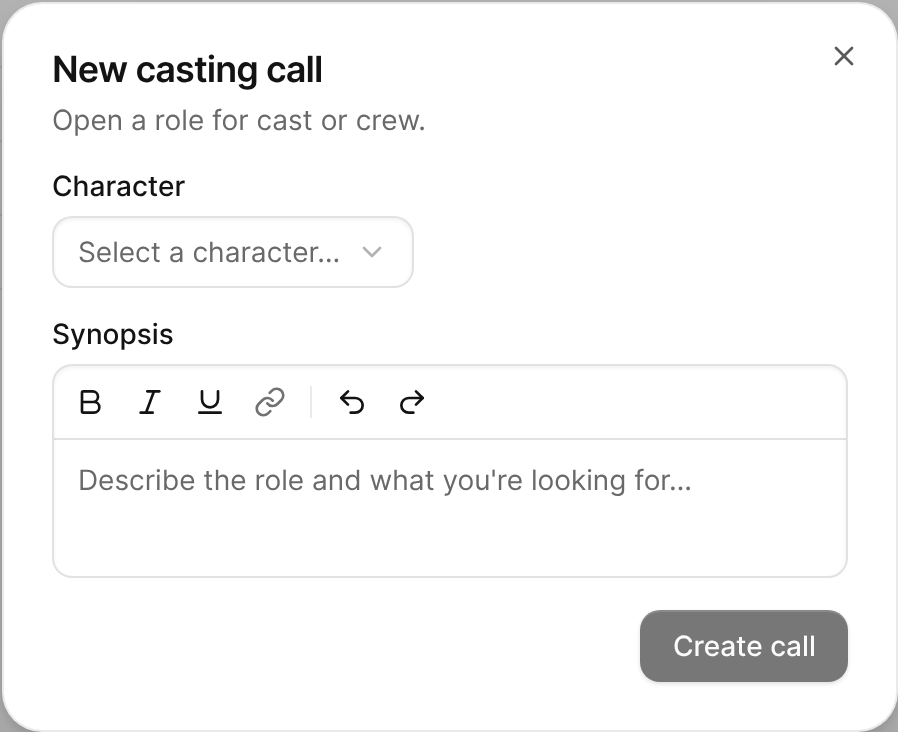
The New casting call dialog with Character and Synopsis fields. - Click Create call.
The call appears in the Casting Calls list as a Draft. Click it to open the call.

Publish a casting call
- In the Casting Calls list, click the call.
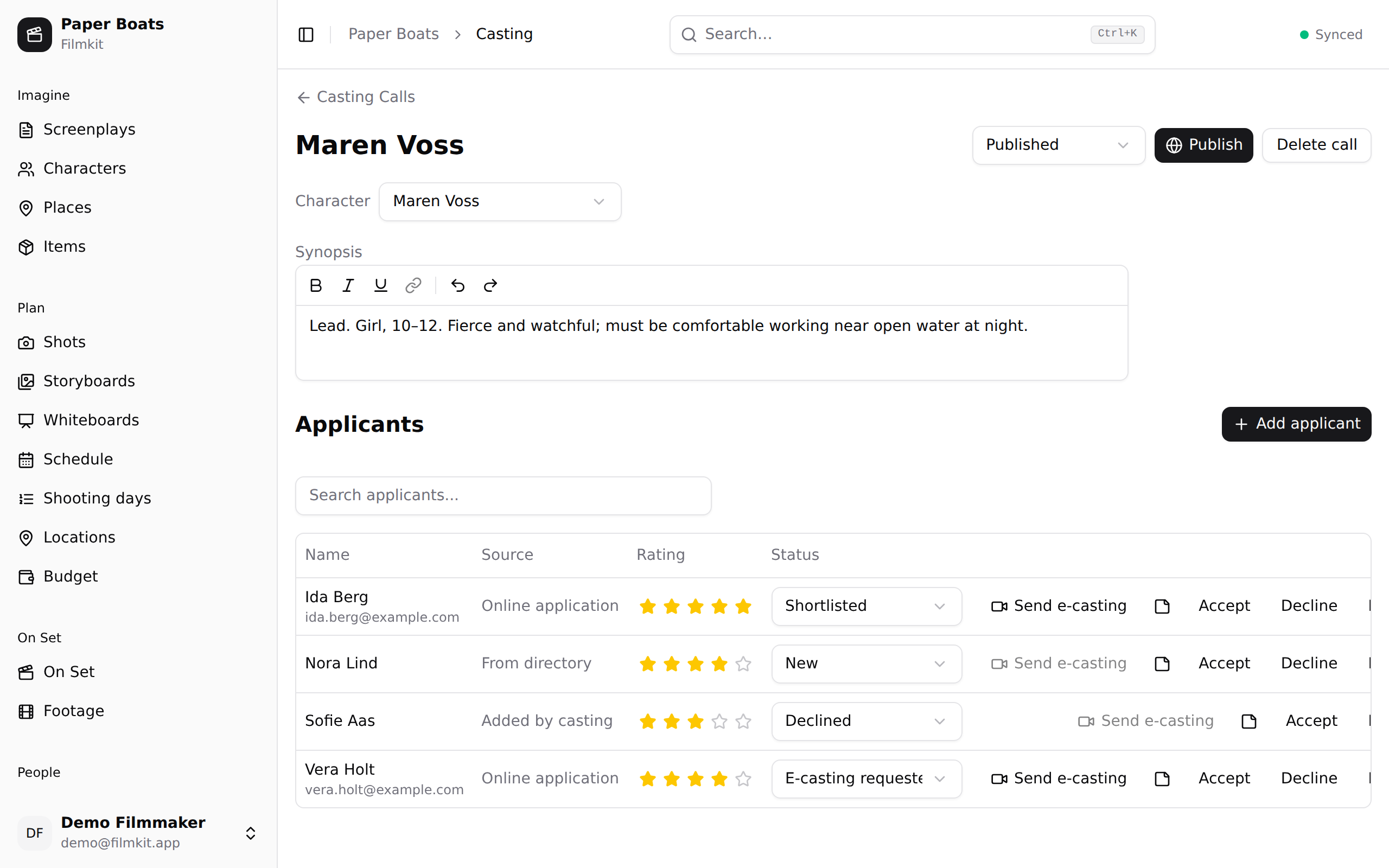
A published casting call with its status, character, synopsis, and applicants. - If your space has a company profile, choose who the listing comes from in the Publish as menu. Choose Personal (no company profile) to publish without one.
- Click Publish.
The call's status changes to Published, and it appears on the public Open casting calls page.

If you edit the call after publishing, click Update publication to bring the public listing up to date. The listing keeps the same address.
Change the character or synopsis
On the call's page, do any of the following:
- Link a different character: Choose a character from the Character menu. The call takes the character's name.
- Edit the synopsis: Click in Synopsis and type. Your changes save as you type.
- Find matching talent: Click Find matching talent to search the directory with the character's casting requirements filled in. This button is available when the character has casting requirements. See Search the directory.
Close, fill, or reopen a call
Do one of the following:
- Stop taking applications: Click Close call, then click Close call again to confirm.
- Mark the role as cast: In the status menu at the top of the page, choose Filled, then click Mark filled.
- Take applications again: Click Reopen call.
A closed or filled call is removed from the open casting calls page and stops taking applications. Its applicants stay on the call so you can keep reviewing them.
Duplicate, delete, or restore a call
Do any of the following on the call's page:
- Make a copy: Click .
- Delete the call: Click Delete call, then confirm. The call and its applicants are hidden.
- Restore a deleted call: In the sidebar, click Trash, then click Restore next to the call. Its applicants and notes deleted with it come back too. See Restore deleted items from the Trash.